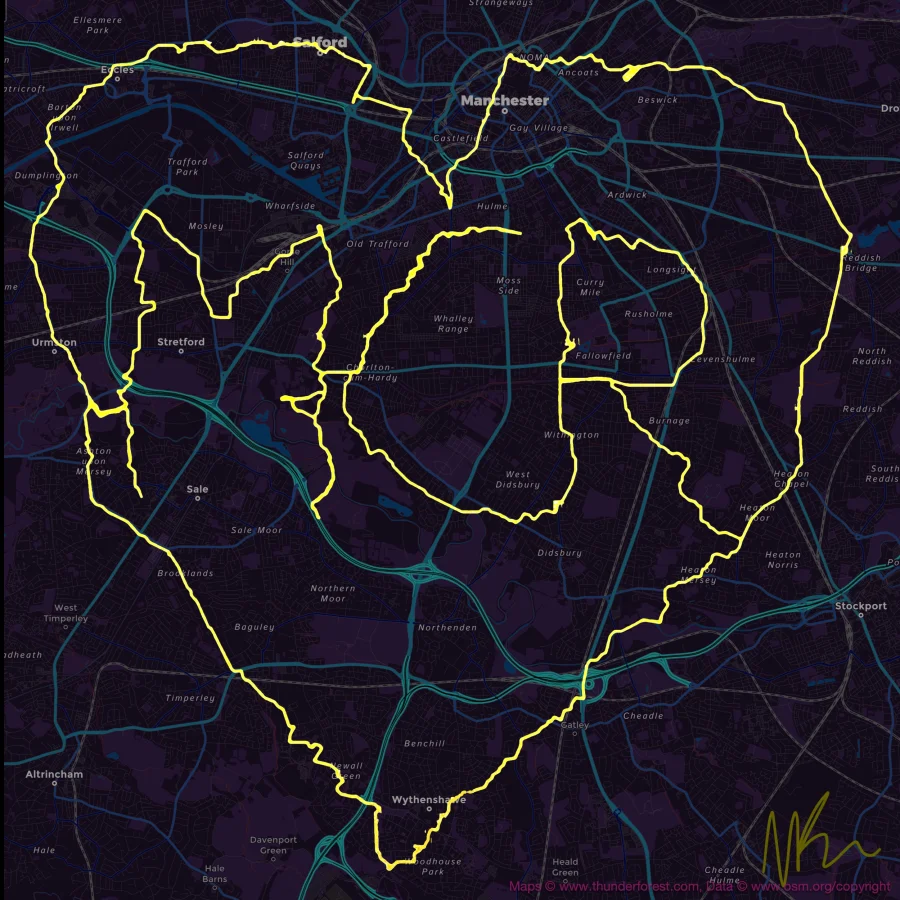
You've probably seen the option to "Export GPX" in Strava, Garmin Connect, or your Apple Health app — and maybe you've never clicked it. A GPX file sounds technical. But for runners who want to add live pace overlays to their videos, it's the one file that makes everything possible.
This guide explains exactly what a GPX file is, what data it contains, and how runners use it.
What is a GPX File?
GPX stands for GPS Exchange Format. It's a plain-text file format (based on XML) that stores GPS location data over time. Think of it as a diary of everywhere you went during your run, recorded every few seconds. Our How to Add Speed and Route Overlay to Your Cycling Videos guide covers everything you need to know.
Every time your GPS watch or phone takes a location reading — which can be every 1–5 seconds on most devices — it records that point along with a timestamp. A GPX file is the collection of all those points from start to finish.
What Data Does a GPX File Contain?
| Data Field | Description | Always Present? |
|---|---|---|
| Latitude & Longitude | Your precise GPS coordinates at each point | ✓ Always |
| Timestamp | The exact time of each GPS reading | ✓ Always |
| Elevation | Altitude above sea level | Usually |
| Heart Rate | BPM from a heart rate monitor or wrist sensor | If recorded |
| Cadence | Steps per minute | If recorded |
| Temperature | Ambient temperature from some devices | Rarely |
The timestamp is the most critical field for video overlay sync. PaceOverlay reads the timestamps in your GPX file and matches them to your video timeline — so your pace and distance update in perfect sync with what's happening in the video.
Overlay Your Running Stats
Add your pace, distance, and heart rate to your running photos and videos — share your stats the way the pros do.
Try PaceOverlay Free →How Your Watch Records GPX Data
When you start a run on your Garmin, Apple Watch, or phone, the GPS receiver begins locking on to satellites — typically taking 5–30 seconds for an initial fix. Once locked, it records your position continuously throughout the run.
Higher-end GPS watches (Garmin Forerunner, Suunto Race, etc.) record more frequently and with greater accuracy. Most phones record GPS at about 1 Hz (once per second), which is perfectly adequate for running video overlays.
💡 Important: For best GPX sync results with video, make sure your GPS watch and your video camera are recording at the same time — ideally with clocks synced to within a few seconds of each other.
How to Open and View a GPX File
A GPX file is a plain text file. If you open one in a text editor, you'll see XML with tags like <trkpt lat="14.6480" lon="121.1044">. That's not very readable — but there are better ways to view your data:
- Strava — upload the GPX to see it on a map with your stats
- GPX Viewer apps — dozens of free apps on iOS and Android
- GPS Visualizer — free web tool to view and analyse GPX files
- Google Earth — open a GPX file to see your route in 3D
Using GPX for Running Video Overlays
This is where GPX files become genuinely powerful for content creators. PaceOverlay's Video Overlay tool takes your GPX file and syncs it with your running video. The result:
- Live pace counter that updates as you run faster or slower
- Distance counter ticking up in real time
- Animated route map showing your position on the course
- Heart rate display (if recorded in your GPX)
All of this is driven by the timestamped data in your GPX file. No manual animation, no typing numbers — it's all automatic.
How to Get Your GPX File
Every major running platform lets you export GPX files. For step-by-step instructions for Garmin, Strava, Apple Watch, Suunto, and Polar, read our dedicated guide: How to Export GPX from Garmin, Strava & Apple Watch.
Frequently Asked Questions
Is a GPX file the same as a FIT file?
No. FIT (Flexible and Interoperable Data Transfer) is Garmin's proprietary format and contains more data than GPX. Most platforms can export GPX from FIT data. For PaceOverlay, GPX is the supported format.
How large is a typical GPX file?
A one-hour run produces a GPX file of roughly 200–800 KB depending on GPS recording frequency. GPX files are very small and easy to share by email or cloud storage.
Can I edit a GPX file?
Yes — GPX files are plain XML text, so you can open and edit them in a text editor. Tools like GPSBabel and GPX Editor provide a friendlier interface for trimming, merging, and correcting GPX data.
Conclusion
A GPX file is simply your run, recorded as timestamped GPS points. For runners who want to create engaging video content, it's the ingredient that turns a raw running clip into a data-rich, synced video overlay. Now that you know what it is, the next step is getting yours — and putting it to work.